Batch Loudness Calibration Built for High-Gain Sound Systems
Balancing DJ crates track by track is tedious and error-prone. Waveforge calculates representative drop energy, applies non-destructive linear gain, and verifies every output file locally before your gig.
1. The Electronic Dynamic Problem
Standard loudness normalizers evaluate an entire audio file from start to finish. In club music, that approach fails. A melodic house track with a two-minute ambient intro will measure deceptively quiet over its full duration, leading automated tools to push aggressive gain boosts. When the kick drum and bass drop arrive, the track slams straight into the mixer’s red LEDs.
Conversely, a peak-time techno track with constant drive from the first beat receives negligible gain adjustment. In the booth, this forces you to ride mixer trim knobs on every mix transition, creating volume dips and sudden acoustic jumps.
Whole-track average LUFS = (Ambient Intro + Extended Breakdown + Drops) / Duration
Result: Inconsistent energy drops during live club transitions.
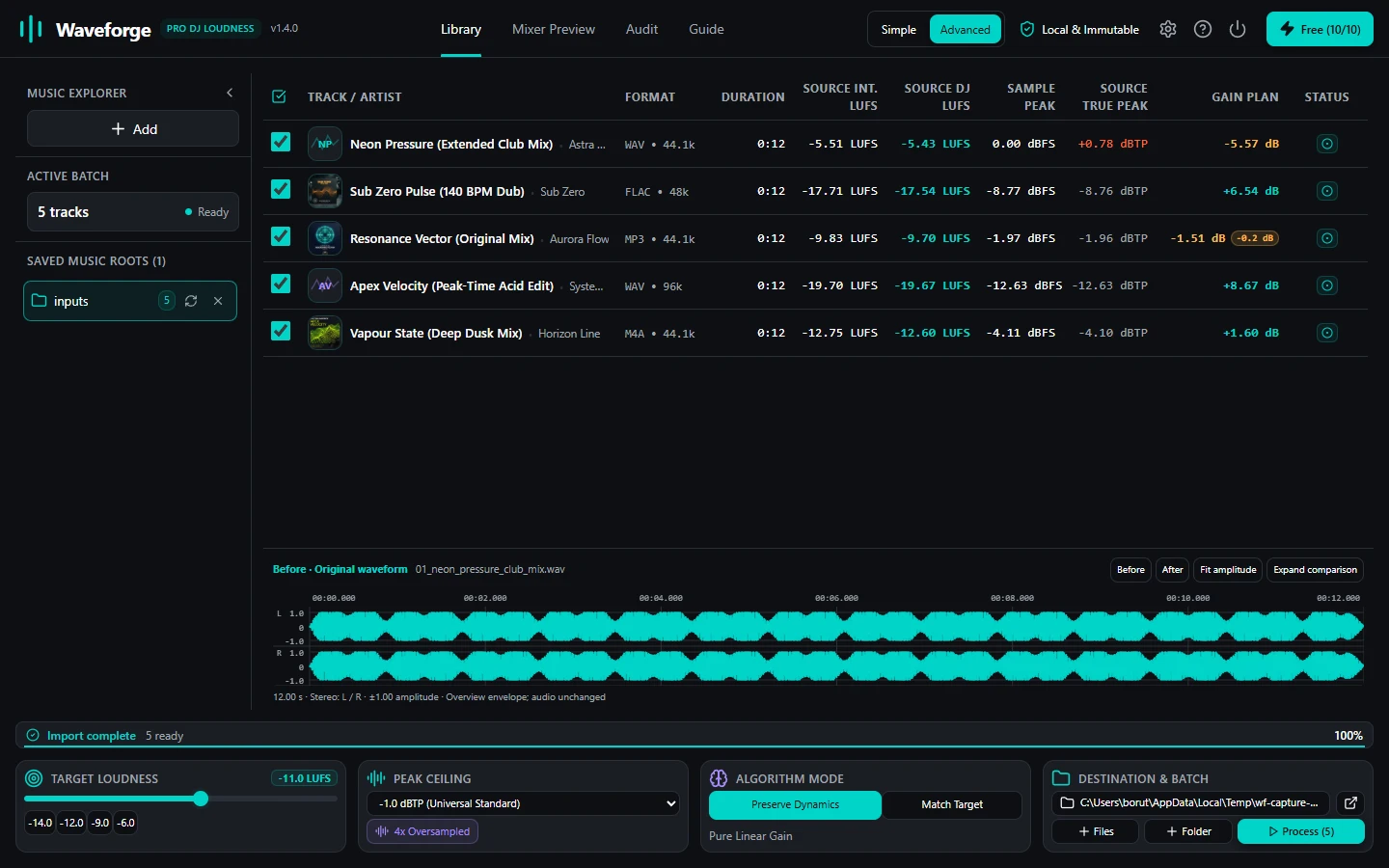
2. Representative Drop Loudness ($LUFS_{rep}$)
Waveforge solves energy inconsistency through Representative Drop Analysis. During ingestion, the 64-bit DSP engine segments the audio stream into active 3-second evaluation windows, applying the standard ITU-R BS.1770-4 K-weighting filter and dual-stage gating (-70 LUFS absolute gate, -10 LU relative gate).
Instead of averaging all windows equally, Waveforge isolates the 90th percentile of active loud blocks. This mathematically isolates the core drops and main grooves from quiet intros and ambient breakdowns. The calculated gain offset aligns the high-energy sections of every track across your crate.
3. Multi-Core Parallel Processing (100% Offline)
Preparing a 500-track library for a festival weekend should not take hours. Waveforge utilizes a multi-threaded Rust job engine that distributes analysis and processing across all physical CPU cores on your workstation.
Because all signal processing runs locally, your unreleased dubplates and exclusive promos never touch a remote cloud server. No network connection is required during library batch processing.
| Batch Metric | Waveforge v1.4.0 | Legacy Tools (MP3Gain / Web) |
|---|---|---|
| Loudness Standard | ITU-R BS.1770-4 / EBU R128 | 1990s RMS / 89 dB SPL |
| Analysis Basis | Representative 90th percentile drop blocks | Whole-file average |
| Processing Speed | Multi-core parallel worker threads | Single-threaded or cloud queued |
| Peak Protection | 4x oversampled sinc true-peak limiter | Discrete sample peak only |
| Original Files | Strictly read-only & immutable | Often overwritten in-place |
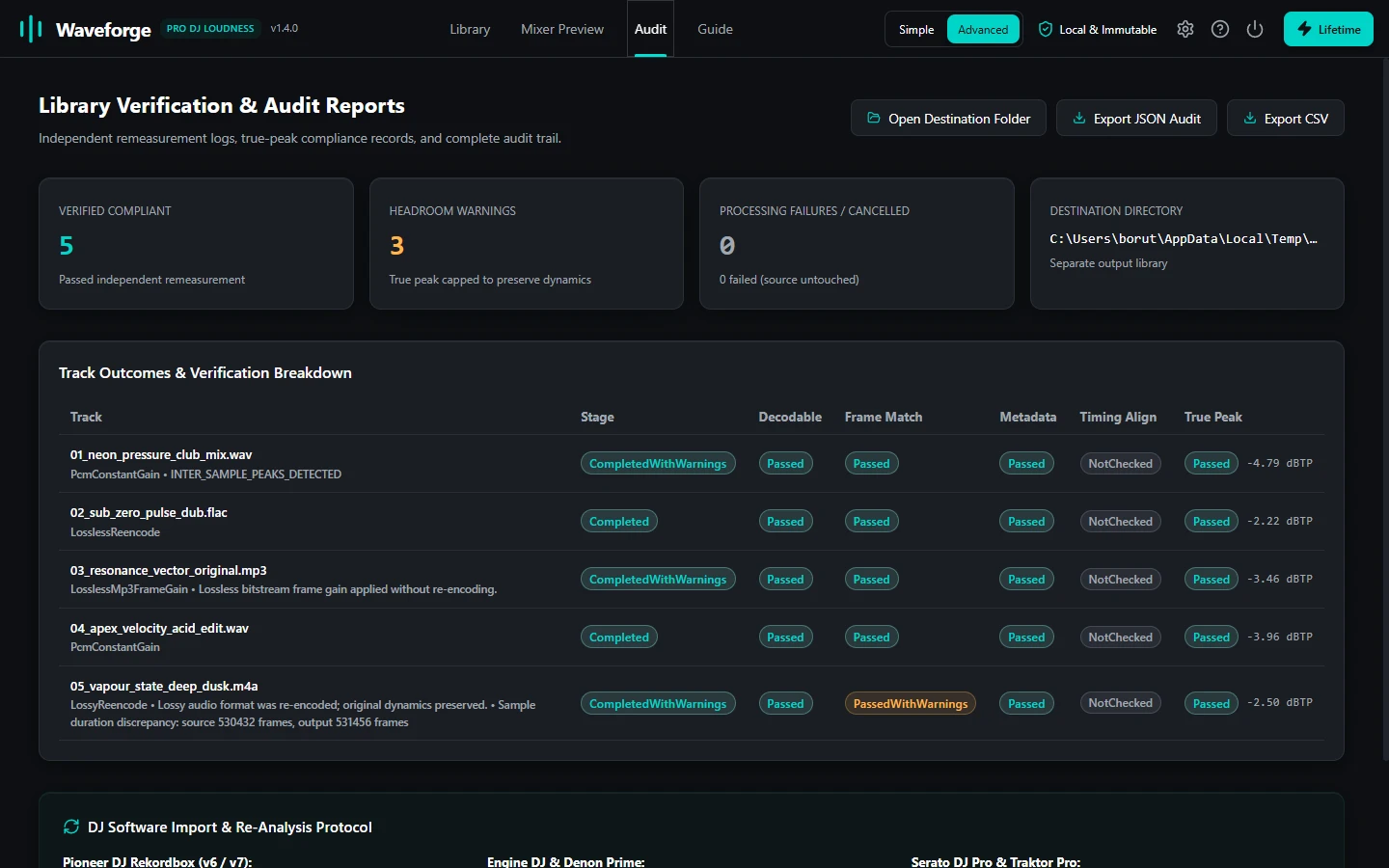
4. Atomic Destination Staging & Independent Verification
Waveforge treats source audio media as completely immutable. Original tracks are opened with read-only file descriptors, guaranteeing that even a power failure or sudden drive disconnect cannot damage your library files.
Normalized files are staged into a separate export folder. Once a track finishes processing, Waveforge executes an independent verification pass: it reopens the generated file from physical disk, feeds it through an isolated measurement pass, and verifies that the output matches target LUFS and remains below the -1.0 dBTP ceiling.
5. Hardware & Ecosystem Compatibility
Waveforge exports standard compliant WAV, AIFF, FLAC, and MP3 files. All original ID3v2 tags, album art, key information, and cue markers are preserved intact.
Once processed, import the export folder into Pioneer DJ rekordbox, Serato DJ Pro, Native Instruments Traktor, or Engine DJ. Turn off software auto-gain settings because your tracks are physically calibrated to uniform acoustic power for any sound system.
Ready to Calibrate Your DJ Crates?
Waveforge Lifetime is a one-time purchase of €34.99. Two workstation activations, zero subscriptions, and complete offline privacy.
GET WAVEFORGE LIFETIME · €34.99