Many digital DJ collections contain a mix of uncompressed WAV files, lossless FLAC archives, and legacy MP3 purchases. When using conventional batch processing software to balance track loudness across these formats, MP3 files are decoded into uncompressed audio, gain-scaled, and re-encoded back into MP3 format.
This re-encoding process introduces generation loss: MDCT frequency quantization errors compound, high frequencies become swishy, and the bit reservoir is disrupted. Waveforge solves this problem through its dual-path architecture: combining lossless bitstream FrameGain manipulation with honest headroom shortfall reporting.
Step 1: Choose Your Processing Philosophy
When preparing a batch in Waveforge, the bottom control bar presents two operating philosophies:
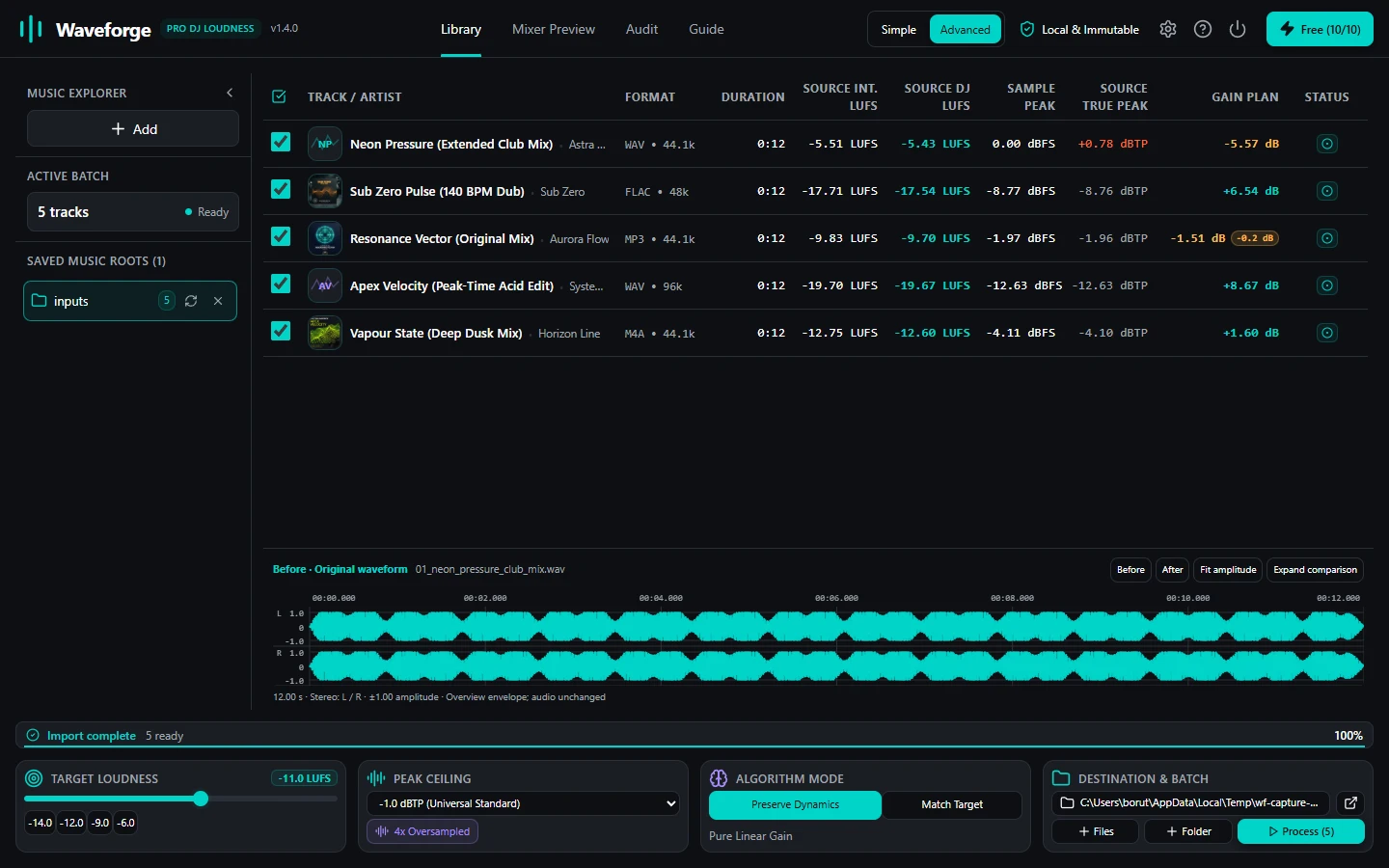
- PreserveDynamics (Default): Prioritizes musical dynamics and zero-loss processing. For uncompressed audio, it applies strict linear gain. For MP3 files, it selects the lossless FrameGain route. The limiter is completely disabled.
- MatchTarget: Prioritizes exact compliance to your target LUFS figure. It applies linear gain first, then engages a 4x oversampled polyphase lookahead limiter to catch peaks that would otherwise prevent the track from reaching the target.
Step 2: How Lossless MP3 FrameGain Works
In the MPEG-1 Layer III audio standard, each audio frame contains an 8-bit integer header field designated as global_gain. This byte controls the overall amplification factor applied by the decoder before synthesis sub-band reconstruction.
A change of 1 unit in the global_gain field corresponds to exactly 1.5 dB of volume change.
When Waveforge processes an MP3 in PreserveDynamics mode:
- The software parses the MP3 stream, indexing frame headers and verifying bit reservoir continuity.
- It calculates the required gain to bring the integrated loudness closer to the target without pushing peaks over the -1.0 dBTP ceiling.
- It rounds this gain to the nearest safe 1.5 dB step and modifies the global_gain bytes directly inside the bitstream.
- The underlying compressed audio data (Huffman code tables and quantized frequency coefficients) is copied bit-for-bit without decompression or re-encoding.
Step 3: Understanding Headroom Shortfalls
Suppose you select a club target of -11.0 LUFS with a true-peak ceiling of -1.0 dBTP. An older dynamic track has an integrated loudness of -16.0 LUFS and a peak of -2.0 dBTP.
Bringing this track to -11.0 LUFS requires +5.0 dB of gain. However, adding +5.0 dB to a track with a -2.0 dBTP peak would result in a +3.0 dBTP peak, severely clipping club converters. The maximum clean gain mathematically possible is +1.0 dB.

Rather than quietly flattening the drums with heavy brickwall limiting, Waveforge's PreserveDynamics mode respects your artistic intent:
- It applies the +1.0 dB clean gain so the track safely touches -1.0 dBTP.
- It logs a Headroom Shortfall of 4.0 dB.
- It marks the track with an amber warning badge so you can decide whether to play it with a small manual trim adjustment or re-process using MatchTarget.
Step 4: Reviewing Batch Verification Badges
When batch processing finishes, the Results View displays an independent audit of every file.

Each track displays a clear status:
- Compliant (Green): Track reached target loudness within 0.15 LU and respected the true-peak ceiling.
- Warning / Shortfall (Amber): Clean linear gain was maximized, and the dynamic shortfall is logged.
- LossyFrameGain Applied: MP3 audio was adjusted losslessly without re-encoding.
You can export this complete audit manifest as a CSV file to keep track of your library's acoustic calibration across your entire collection.
Protect Your Audio Quality with Waveforge
Master your crates with lossless MP3 FrameGain, ITU-R BS.1770-4 normalization, and true-peak protection for macOS and Windows.
GET WAVEFORGE LIFETIME · €34.99 EUR